Showing posts with label SYNC. Show all posts

Thursday, June 9, 2016

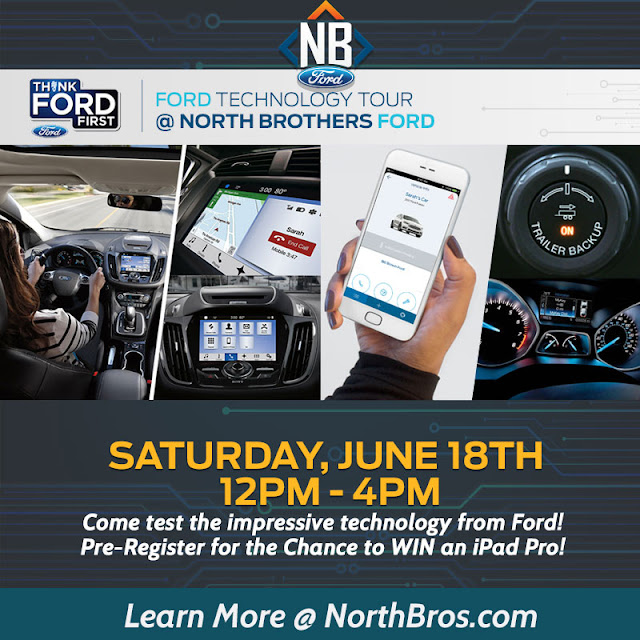
Ford Technology Tour at North Brothers Ford in Westland, MI

Ford Technology Tour at North Brothers Ford in Westland, MI

WESTLAND, Mich.––Technology has advanced so far and so fast, some of us might not even know the things our devices can do, including our cars! If you drive a relatively new car, you probably know how to do some things with your vehicle's technology that makes your life more convenient and in some cases more safe. But what other technologies can you be taking advantage of? What kinds of technologies should you look for when buying a new car? We're here to show you with our Ford Technology Tour at North Brothers Ford in Westland, MI, happening Saturday June 18th.

From 12-4pm on Saturday June 18th, we'll be walking you around and showing you all the awesome Ford technologies. You might be surprised at how advanced some of these technologies truly are, and how easy they can make your life. It's not just connecting your phone by bluetooth, but driver technologies, too! Some of the technology we'll be covering is:

  • SYNC® AppLinkTM
  • SYNC® MyFord TouchTM
  • SYNC® 3
  • MyKey®
  • Driver Technologies
  • SYNC® Connect
  • Customer Q & A

Attending our Ford Technology Tour at North Brothers Ford in Westland, MI is great chance to learn about all the great features Ford has to offer, and allows you to get hands on for the full experience. What's even better? Having the chance to win one of five iPad Pros! All you need to do is Pre-Register for the event on our website. We're so proud to show you just what Ford's technologies can do and hope you'll join us for a good time! You can let us know you're coming on Facebook and share with your friends, too. You can also stop by our showroom when you're here to enter our 75th anniversary 2-year 2016 Ford F-150 lease giveaway.

At North Brothers, we're here to help you get the most out of your vehicle experience. This includes teaching you about all the available technologies, best routine maintenance practices, and providing information about buying or leasing a vehicle. If you're looking for a new Ford but aren't sure whether you should buy or lease, we've got a side-by-side comparison on our Buying Vs. Leasing page, plus details on each process on our How to Buy a Vehicle and How to Lease a Vehicle  pages.

North Brothers Ford is located at 33300 Ford Rd Westland, MI 48185 and proudly serves as one of the premier dealerships in Metro Detroit, and is committed to exceptional customer service! Stop by or give us a call at 855-739-2023, our knowledgeable and helpful sales team will be more than happy to assist you!

Visit our website: www.northbros.com

Follow us on social media: FacebookTwitterPinterestInstagramYouTube and Google+

Wednesday, January 6, 2016

Ford Developing Ways to Pair SYNC With In-Home Smart Products

Ford Developing Ways to Pair SYNC With In-Home Smart Products

WESTLAND, Mich. –– Ford's SYNC infotainment system could very well be the most advanced communication and entertainment system for vehicles available. After debuting SYNC 3 in summer 2015, Ford is continuing to make advancements with the system.

Now, Ford is developing ways to pair SYNC with in-home smart products, beginning with Amazon Echo and Alexa. Through SYNC Connect, drivers will have the ability to use voice control between their SYNC system and these in-home smart products from Amazon.


Some of the conveniences available with pairing your Ford SYNC with in-home smart products like Amazon Echo and Alexa include the ability to:

  • start and stop your vehicle
  • lock and unlock your vehicle's doors
  • find out your electrified vehicle's range and charge status
  • check your fuel level
  • find out vehicle mileage
  • find out your vehicle's location
  • find out driving time to a destination, including mileage

As Ford pushes into new territories of automotive technology, including developments outside of the traditional automotive realm––as with the new Ford MoDe:Flex electric bike and autonomous vehicles––Ford developing ways to pair SYNC with in-home smart products is another big shift the automaker is leading in the industry.

Rest assured that despite all of these technological changes occurring with Ford, your favorite Ford vehicles will continue to be available at our Ford dealership. Although Ford is developing new ways of driving that will change the industry forever, it's clear to us that Ford customers are always at the center of any new developments made.

Do you have questions about how to operate your Ford vehicle's SYNC system, or are you curious about changes being made to the technology? If so, be sure to attend one of our SYNC Sessions to learn how you can get the most out of your Ford SYNC system. 

North Brothers Ford is located at 33300 Ford Rd Westland, MI 48185 and proudly serves as one of the premier dealerships in Metro Detroit, and is committed to exceptional customer service! Stop by or give us a call at 888-806-7163, our knowledgeable and helpful sales team will be more than happy to assist you!

Visit our website: www.northbros.com

Follow us on social media: FacebookTwitterPinterestInstagramYouTube and Google+

Wednesday, December 2, 2015

How to Get the Most Out of Your Ford SYNC System

How to Get the Most Out of Your Ford SYNC System

WESTLAND, Mich. –– One of the great features of Ford vehicles is the SYNC communications and entertainment system. SYNC enables drivers to literally sync their smartphone or other Bluetooth device with their Ford vehicle. However, many Ford owners don't understand how capable SYNC technology is.

North Brothers Ford wants you to understand how to get the most out of your Ford SYNC system so that you’re able to take full advantage of the convenience it offers. On Monday, Dec. 14 at 7 p.m., North Bros will answer all of your SYNC questions at our SYNC Session.

At our SYNC Session, we’ll help you learn how to get the most out of your Ford SYNC system, including how to properly sync your device, accessing and navigating the numerous features of your device on the SYNC system, and any other questions or concerns you have about Ford SYNC.

North Brothers Ford is located at 33300 Ford Rd Westland, MI 48185 and proudly serves as one of the premier dealerships in Metro Detroit, and is committed to exceptional customer service! Stop by or give us a call at 888-806-7163, our knowledgeable and helpful sales team will be more than happy to assist you!

Visit our website: www.northbros.com

Follow us on social media: FacebookTwitterPinterestInstagramYouTube and Google+

Wednesday, March 6, 2013

How To: Pair An iPhone With Ford SYNC


WESTLAND, Mich.- By now you probably know about most of the convenient features that are available through Ford's SYNC technology: listen to music that's on your phone through the car's audio system, full Siri control, full telephone use through the car's speakers, and 911 Assist to name a few. Take advantage of all available features by setting up your phone with this step-by-step guide, How To: Pair An iPhone With Ford SYNC.

How To: Pair An iPhone With Ford SYNC
This guide to pair your iPhone with your vehicle's Ford SYNC system will work for vehicles equipped with either SYNC or SYNC with MyFord.

First, you'll want to go into the Settings on your iPhone and make sure that the Bluetooth option is set to On so that the SYNC system will be able to detect your phone.


To pair your iPhone with Ford's SYNC system, you'll need to turn on your Ford vehicle. Press the Phone button and if no phones have been paired with the vehicle yet, you'll see the message "No Phones Paired". The system will then give you the option to Add Bluetooth Device. Press the OK button located on your vehicle's center stack.

Once the system detects your iPhone you'll receive the message "Look For SYNC On Your Device". Go back into your iPhone's Settings, click Bluetooth, then click SYNC and then enter the  PIN that you see on the vehicle's display.


After following this step-by-step guide for how to pair your iPhone with Ford SYNC, you should have a successful pairing. The system will then proceed to ask you a few questions like if you want to Download Phonebook, Set as Primary Device, and enable 911 Assist. You can answer Yes to these questions by using the OK button on the center stack. And then you're done!

It's as easy as that to pair your iPhone with Ford SYNC and being enjoying all of the convenient features! If you need help pairing your iPhone or other smartphone with your vehicle's Ford SYNC system, just stop by, we're more than happy to help! North Brothers Ford, located at 33300 Ford Rd Westland, MI 48185, is proud to be one of the premier dealerships in Southeast Michigan committed to exceptional customer service! Stop by or give us a call at (888) 806-7163, our knowledgable sales team will be happy to help!

Visit our website: www.northbros.com
Follow us on: FacebookTwitterPinterest and Google+